Swap Limit Orders
Set your target price and let your swap happen automatically when the market reaches it.
On this page
- How to create a Swap Limit Order
- 1. Select the asset you want to sell
- 2. Select the asset you want to receive
- 3. Set your limit price
- 4. Choose an expiration time
- 5. Review and create your order
- How your order is executed
- Active Orders
- What happens if I use assets from an active order?
- Token allowance
- Network fees for transactions
- Order History
- Important information
Swap Limit Orders allow you to set the price at which you want to exchange one asset for another. Your order remains active until it is fully executed, expires, or you cancel it.
Unlike a regular swap, you don’t need to monitor the market and execute the trade manually.
How to create a Swap Limit Order
1. Select the asset you want to sell
Choose the asset you want to exchange. You can select another source asset if needed.
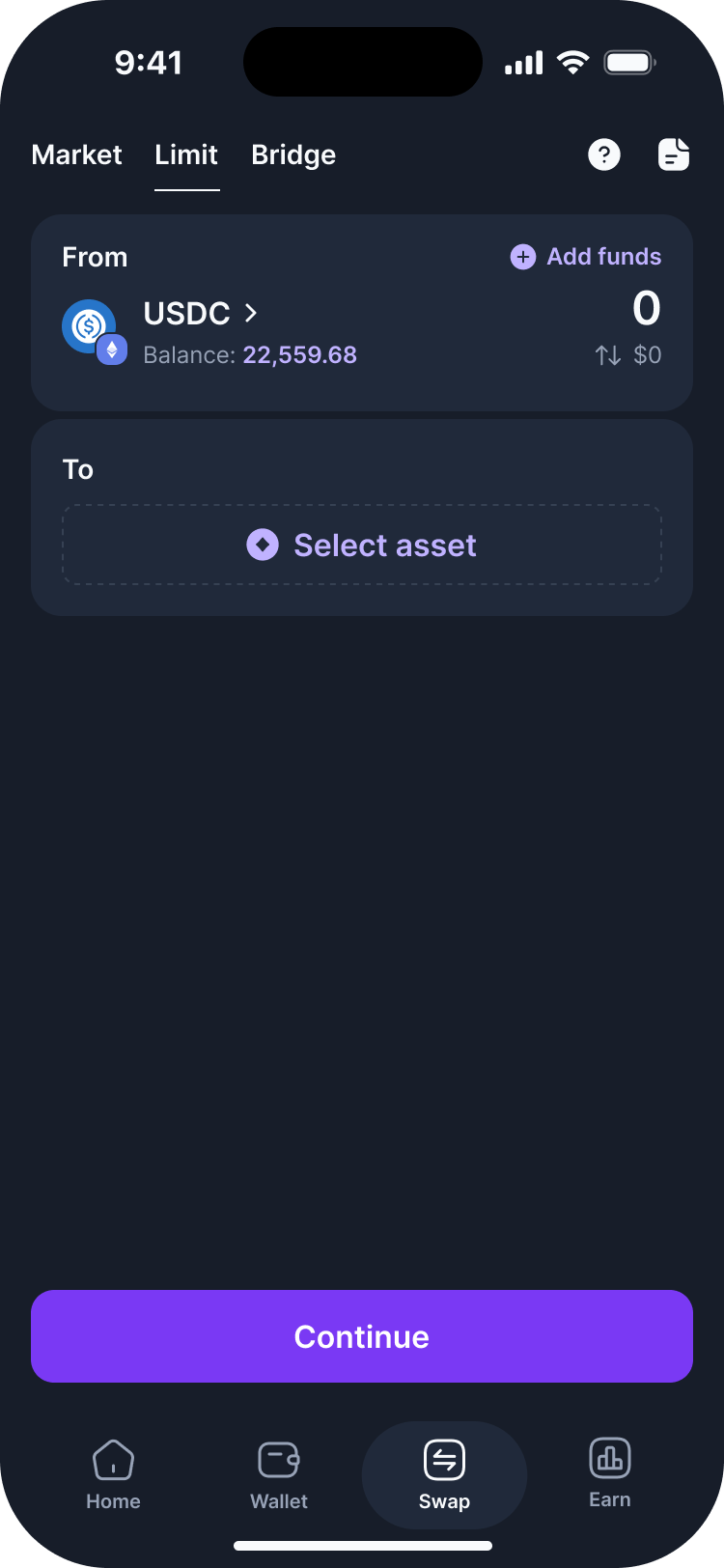
2. Select the asset you want to receive
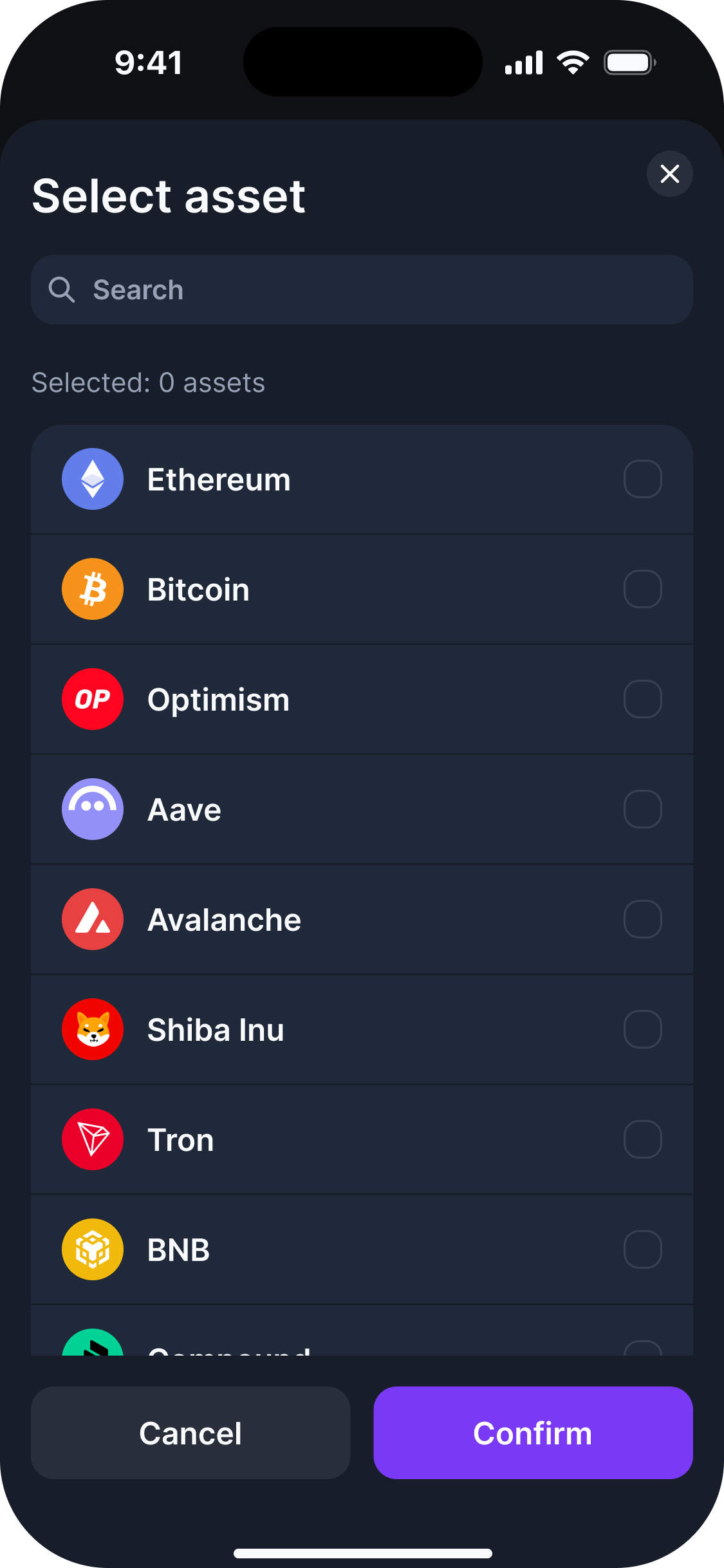
Tap the asset selection button and choose the asset you want to receive.
For Swap Limit Orders, you can only select assets available on the same network as the asset you are selling.
Once you select the destination asset, you can enter the amount for your order.
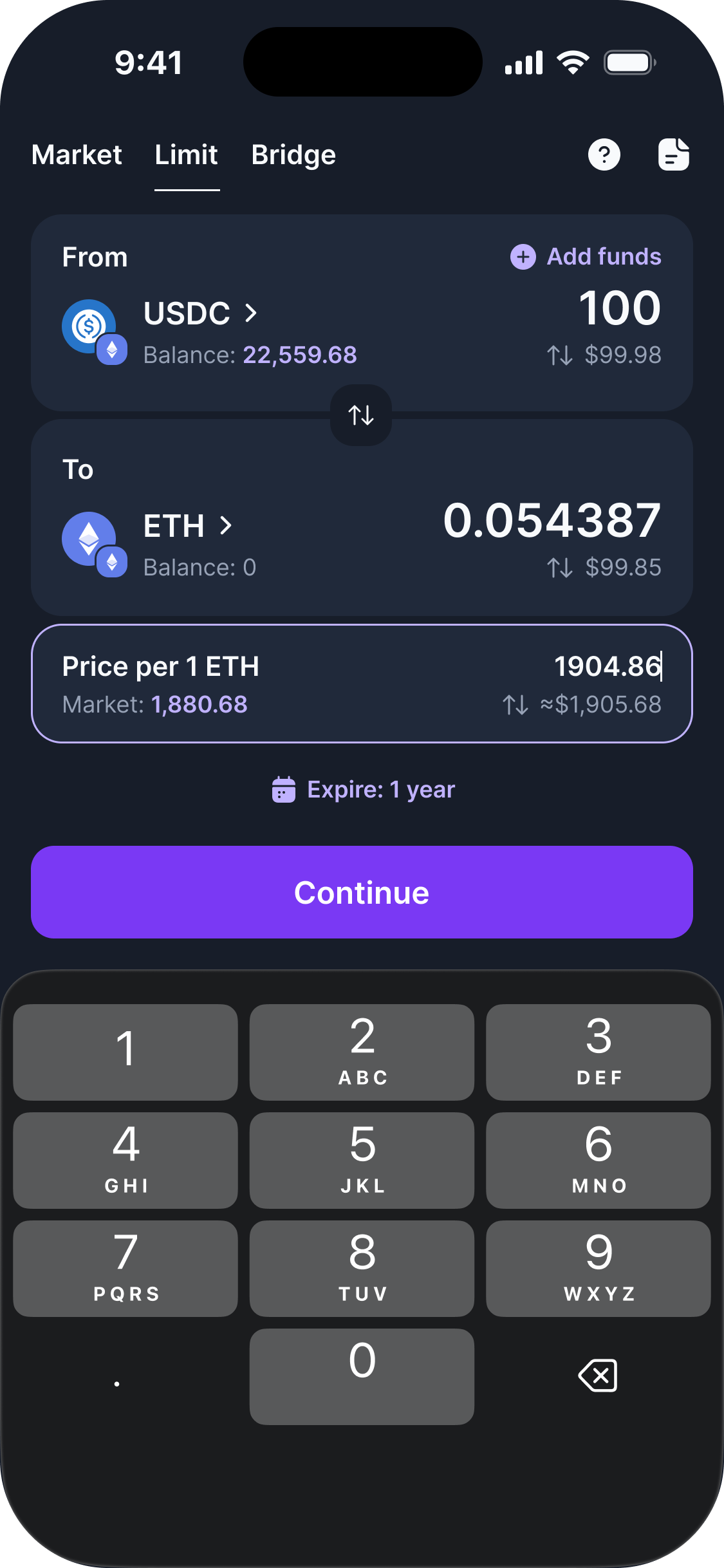
3. Set your limit price
Set the price at which you want your order to be executed.
The current market price is displayed by default. You can enter a custom price based on your preferred exchange rate.
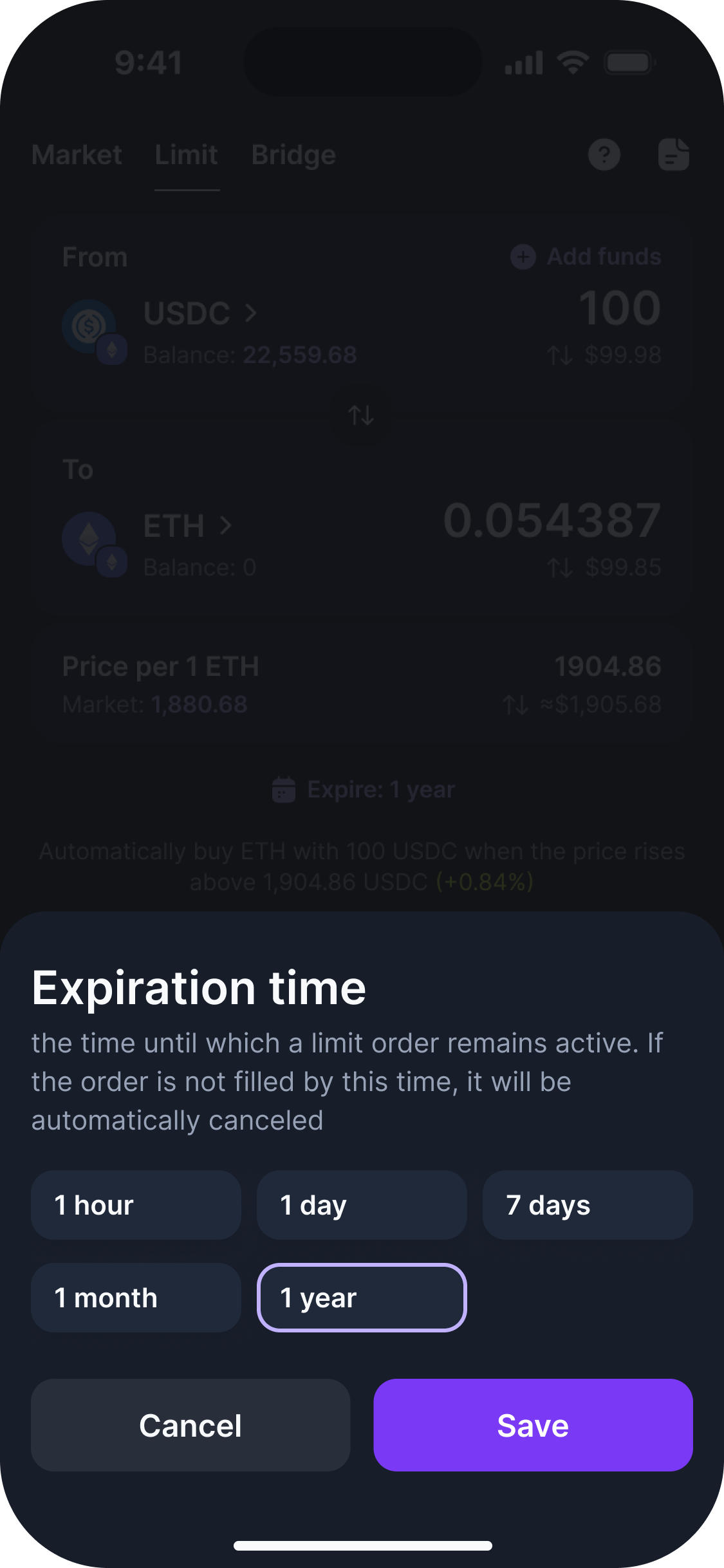
4. Choose an expiration time
Select how long your order should remain active.
If your selected price is not reached before the expiration time, the order will expire automatically.
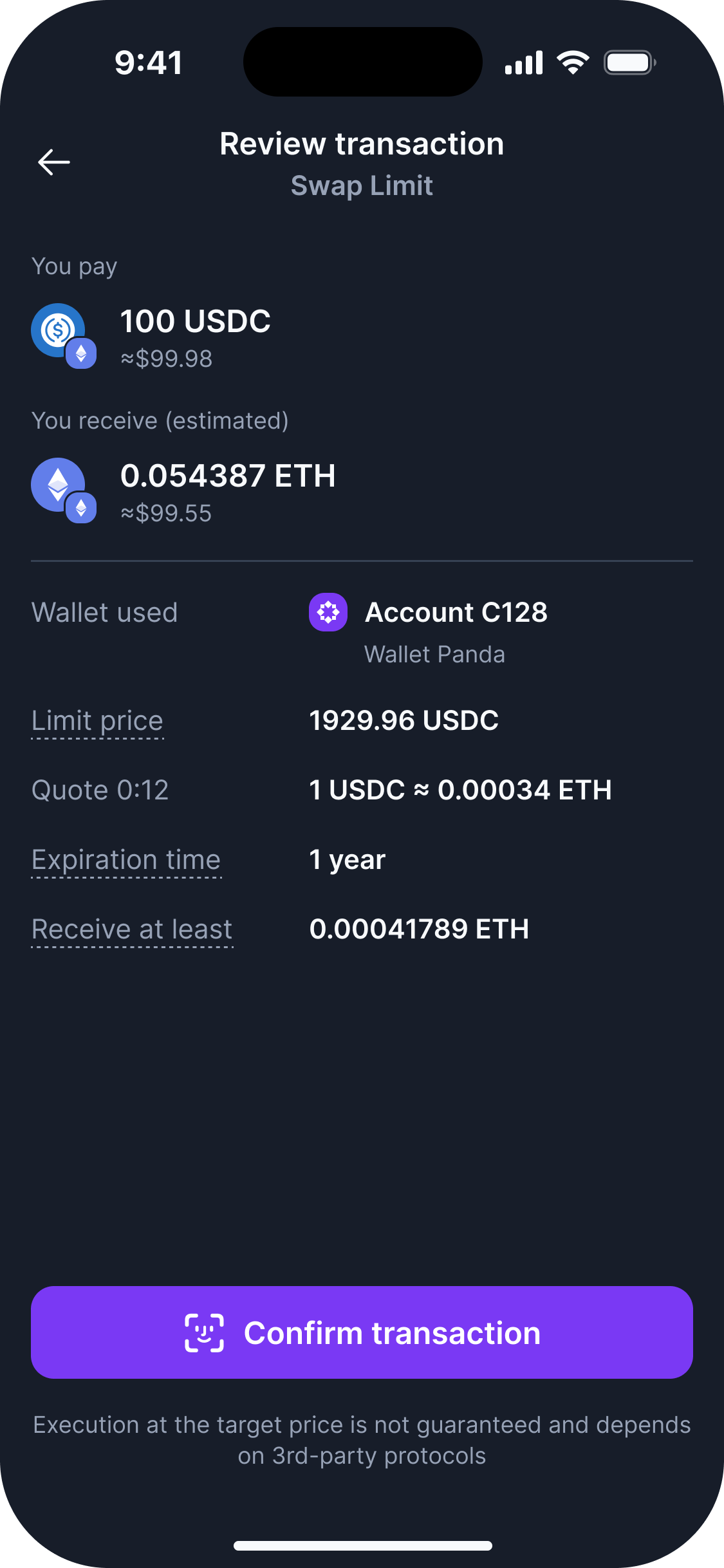
5. Review and create your order
Review your order details and confirm the transaction.
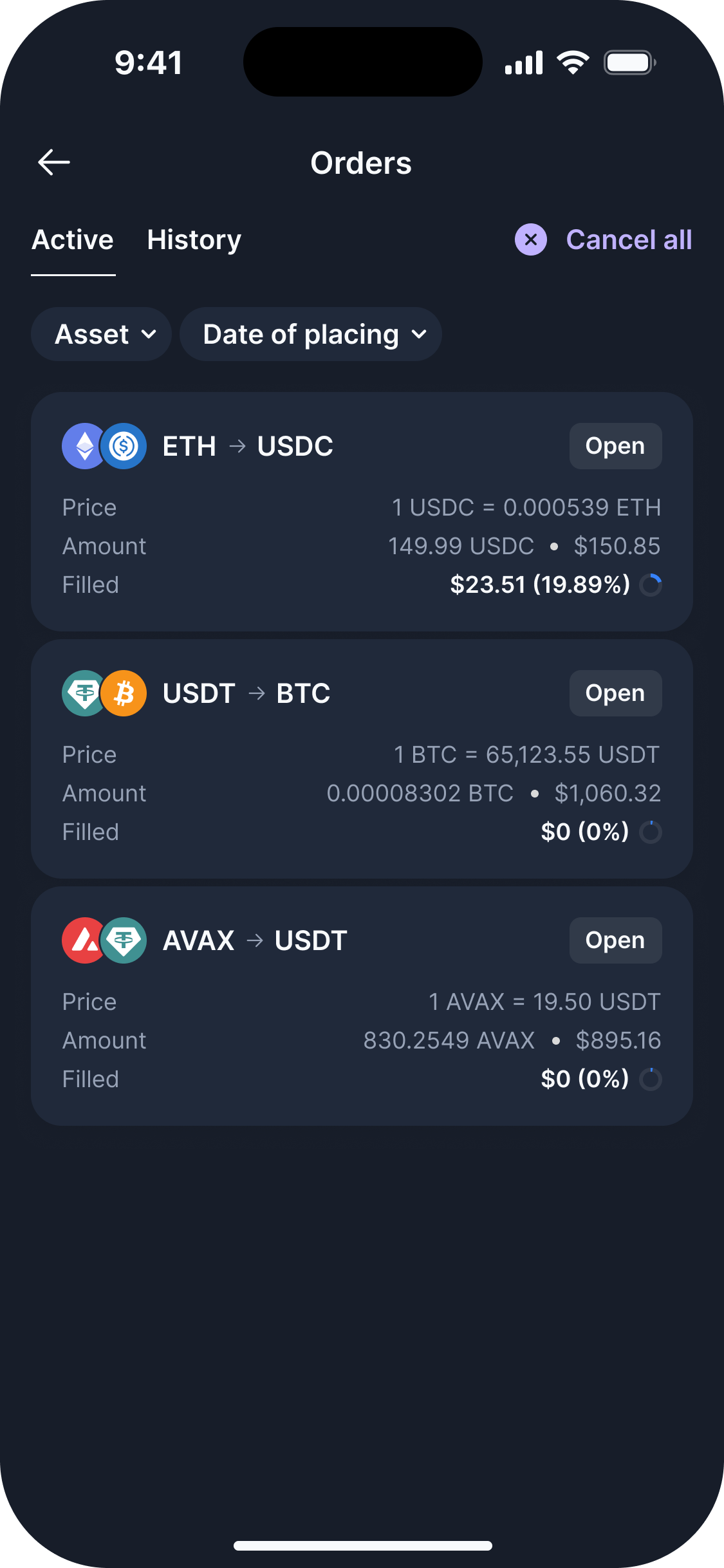
Once your order is created, it will appear in the Active Orders tab.
How your order is executed
Your limit order is monitored for execution at your selected price.
Your order can be executed when the market price reaches a level that allows the solver to cover the execution costs while meeting your limit price. Depending on available liquidity, an order may be filled partially or completely.
If your order is partially filled, the remaining amount will stay active until it is fully executed, expires, or is canceled.
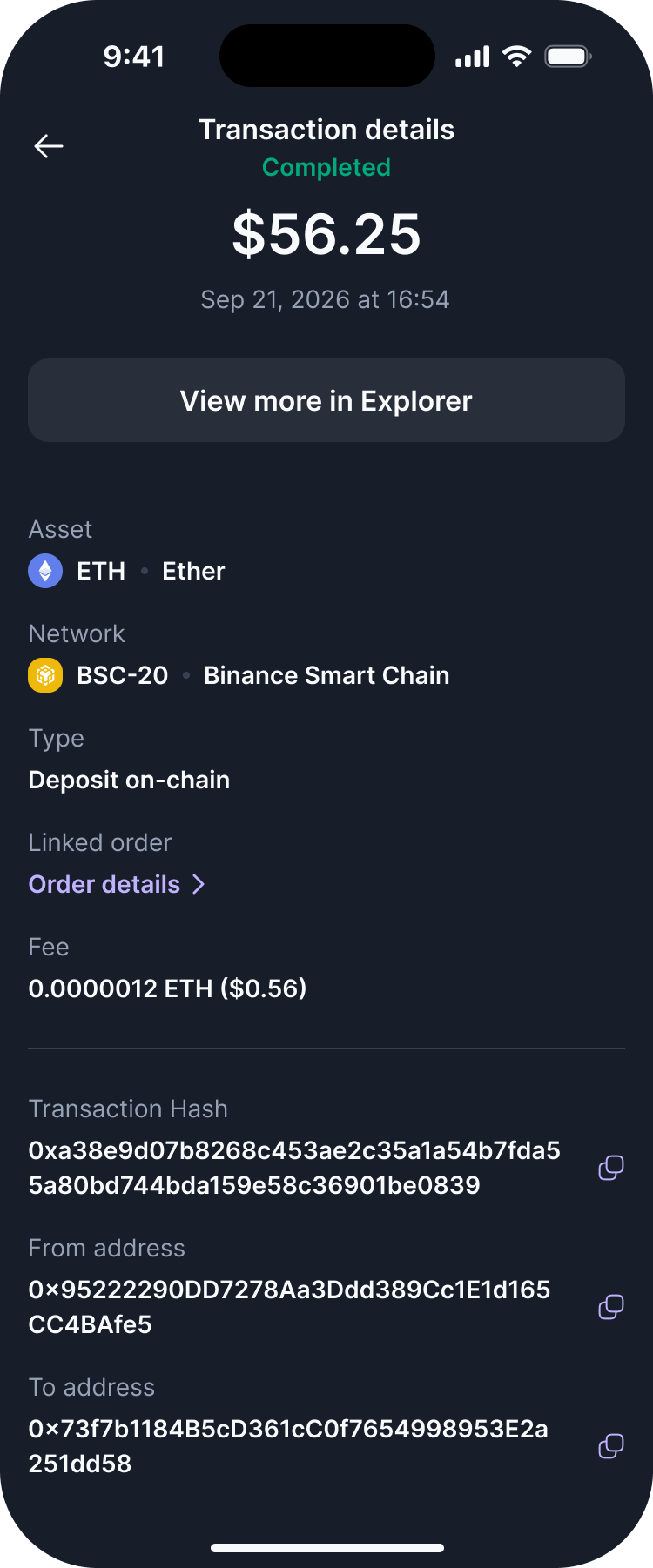
Each partial fill is displayed in the order details as a separate transaction.
Active Orders
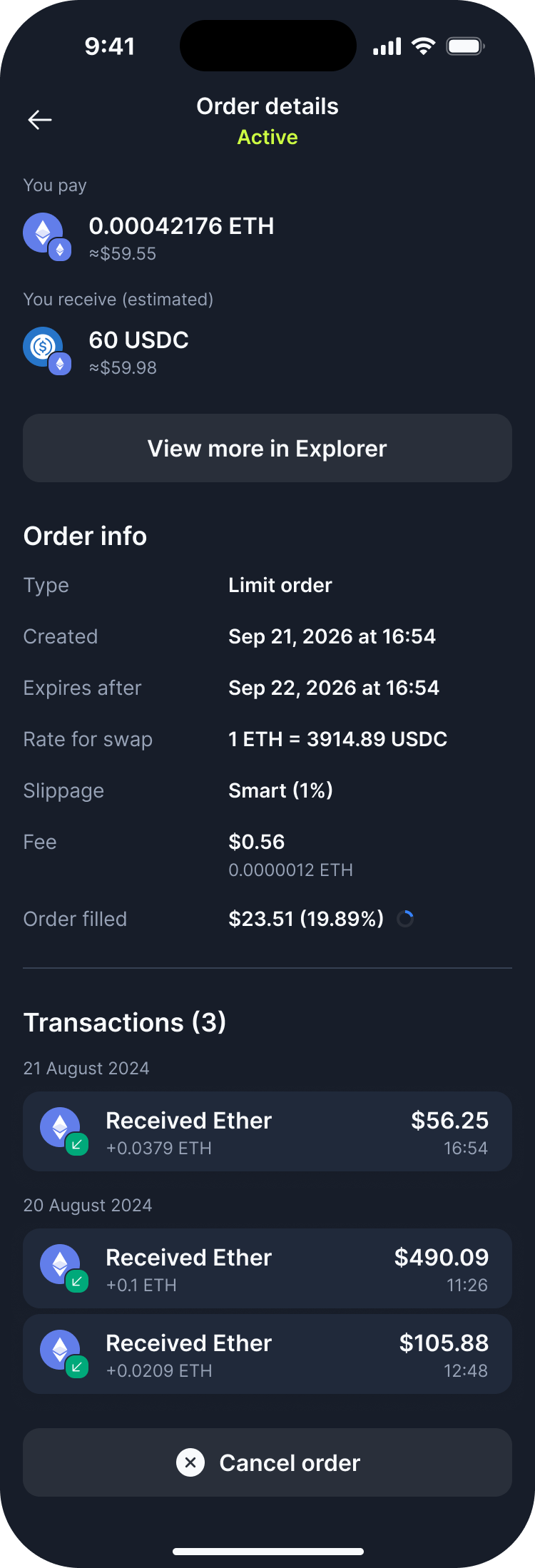
The Active Orders tab displays all limit orders that are still active and have not been fully completed.
Here you can view the details of your order, including:
- Assets being exchanged
- Limit price
- Order amount
- Remaining amount
- Order status
- Expiration time
If an order is partially filled, you can also view its completed transactions in the order details.
You can cancel an active order at any time without paying a network fee.
What happens if I use assets from an active order?
Your assets remain in your wallet while your limit order is active.
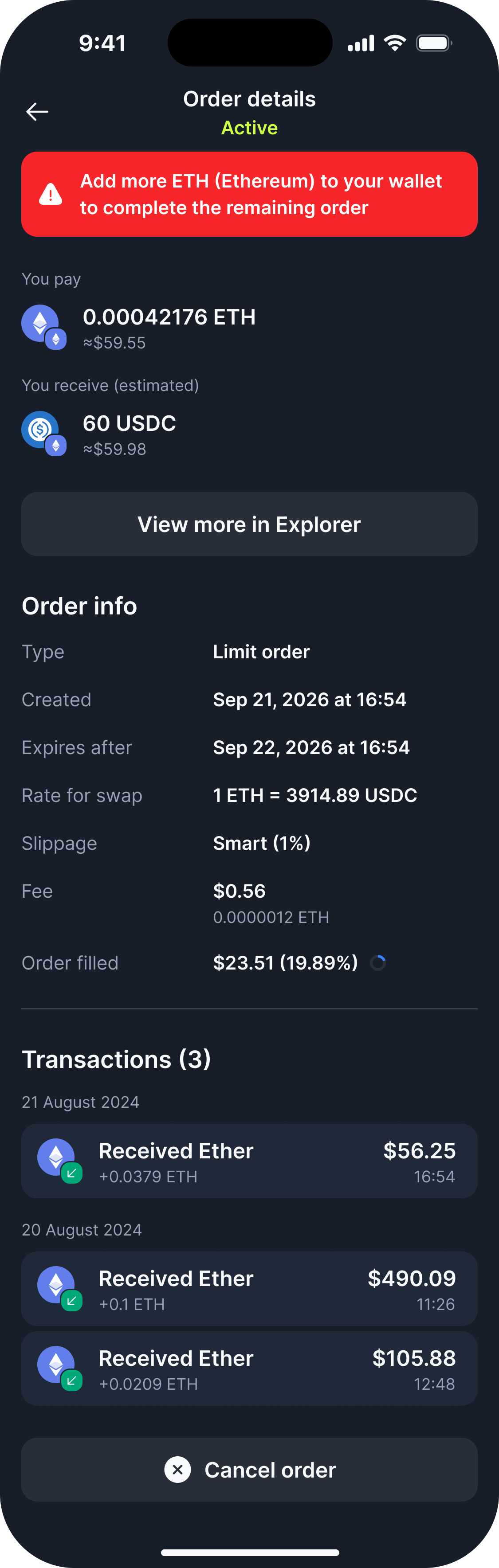
This means you can still send or swap them. However, using these assets may affect the execution of your open limit orders.
If your balance is not sufficient when an order is ready to be executed, the order may not be completed until you add more of the required asset to your wallet.
Token allowance
Before creating a limit order, you may need to approve the token for use by the Swap Limit Order protocol. This approval requires a blockchain transaction and a network fee.
You may not need to approve the token again when creating another order for the same token, as long as the existing allowance is sufficient for the new order.
For example:
You create another ETH → USDC order for $11 – a new allowance approval may be required because the existing allowance is not sufficient.
You create an ETH → USDC order for $10 and approve an allowance for $10.
You create another ETH → USDC order for $9 – no new allowance approval is required.
Network fees for transactions
You need to pay a network fee when creating a limit order using a native coin, such as ETH.
When you trade a native coin, it is first converted into its wrapped version (for example, ETH is converted to WETH). The wrapped token is then used to execute the token swap.
If you are trading a token that is already available as a token on the network, you don’t need to pay a network fee for this step.
The network fee for executing the limit order is covered by the solver.
Order History
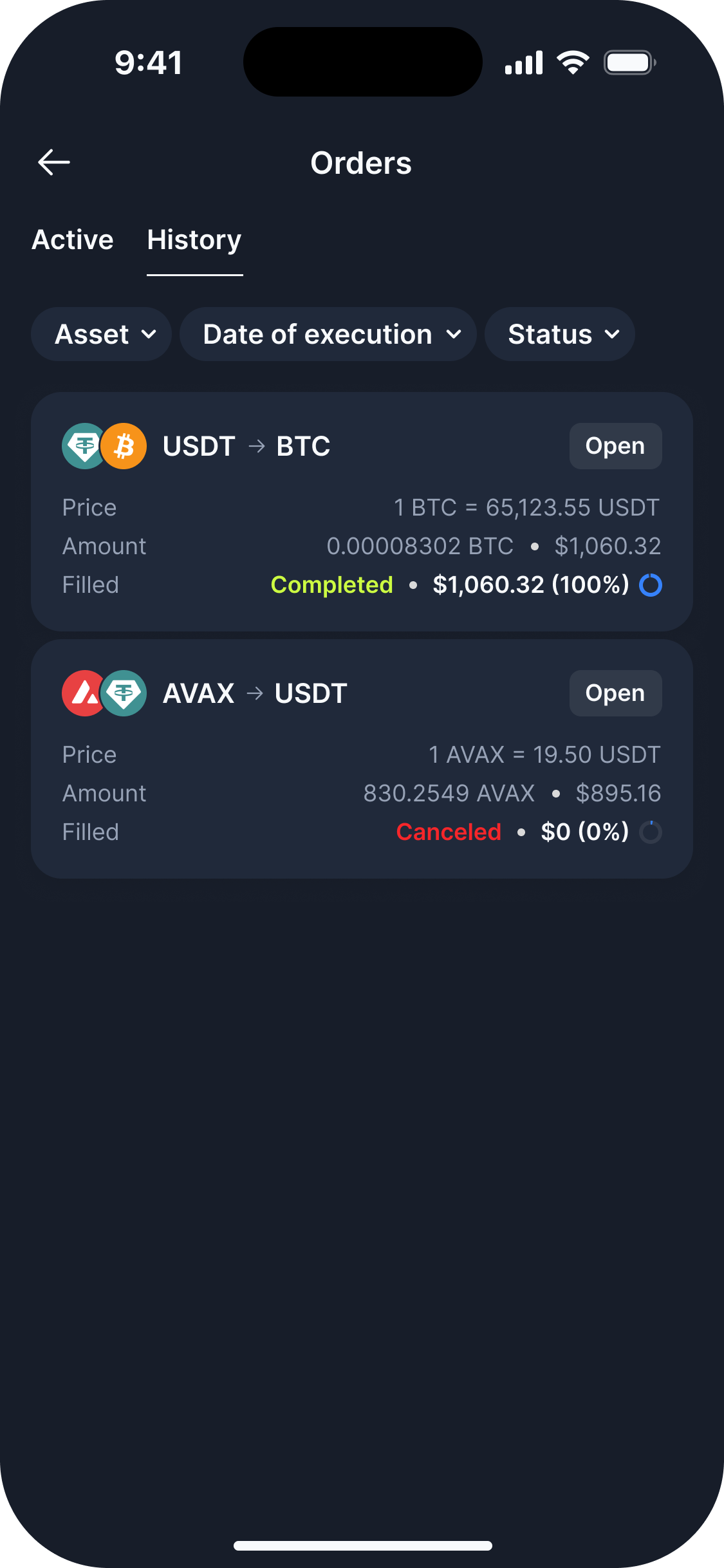
The Order History tab displays orders that are no longer active.
This includes:
- Completed orders
- Canceled orders
- Expired orders
You can open any order to review its details and execution history.
Important information
- Your order may be partially filled.
- A single order may have multiple execution transactions.
- Your remaining order amount stays active after a partial fill.
- Market conditions and available liquidity can affect order execution.
- An active order is not guaranteed to be executed.
- Make sure you have enough of the asset you are selling in your wallet when your order is ready to be executed.
- You can cancel an active order at any time without paying a network fee.
- The network fee for executing the limit order is covered by the solver.
- A network fee may be required when an allowance approval is needed.
- When trading a native coin, such as ETH, it will be required to wrap it before the swap.
Articles by this author