WhatsApp fixes two flaws that could load malicious media
WhatsApp patched two vulnerabilities: crafted messages could load media from attacker-controlled URLs on iOS and Android, and Windows filenames with embedded NUL bytes could mask executables.
Meta released fixes for two security vulnerabilities in WhatsApp that affect iOS, Android and Windows. The company says there is no evidence either flaw has been exploited in the wild.
The first issue, tracked as CVE-2026-23866, involves how WhatsApp handles AI-generated ‘rich response messages’ that embed Instagram Reels. On affected iOS and Android versions, incomplete validation of those messages could cause the app to load media from a URL controlled by an attacker. In some cases that behavior can trigger operating system custom URL scheme handlers and prompt a device to open content from an untrusted source when a user views the message.
The second issue, CVE-2026-23863, affects WhatsApp for Windows builds earlier than version 2.3000.1032164386.258709. The Windows client did not correctly handle filenames containing embedded NUL bytes, allowing a file to appear as a harmless type in the app interface while being treated as an executable when opened. That filename mismatch can be used in social engineering attacks to trick a recipient into running code.
Meta’s advisory notes that neither bug automatically infects devices and that the company has not identified real-world exploitation. The advisory also warns that the flaws reduce the effort required for attackers to deceive users and could be chained with other vulnerabilities to produce more serious compromises. Meta recommends users install the updates when they become available.
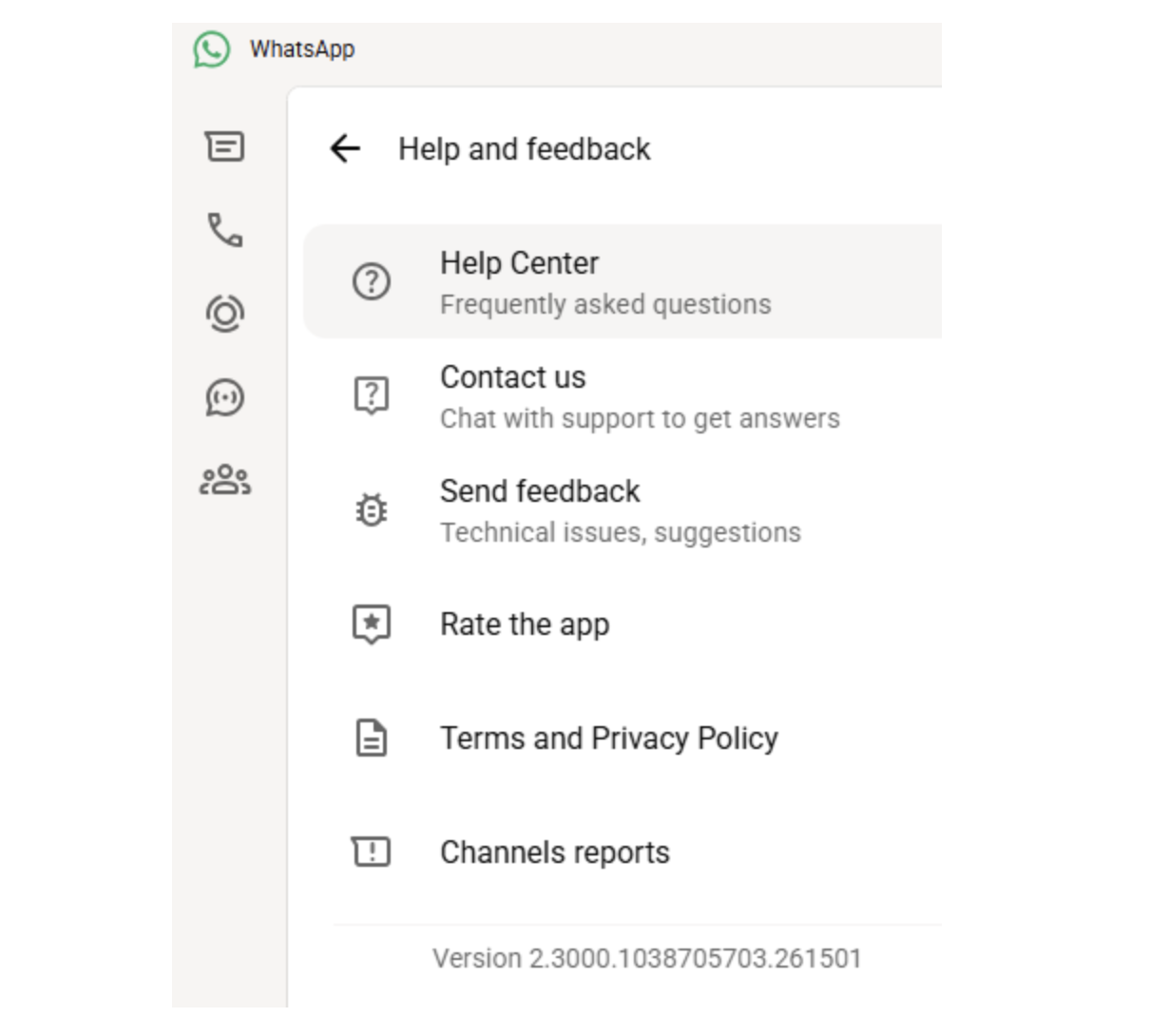
Android users can update WhatsApp from the Google Play Store by opening the store, locating WhatsApp Messenger and tapping Update when the button appears. iPhone users should open the App Store, tap their profile icon, find WhatsApp in the list and tap Update, or search for WhatsApp if it does not appear under recent updates. Windows users can check the app version by clicking their profile picture in WhatsApp, selecting Help and feedback, and comparing the number to 2.3000.1032164386.258709; updates are delivered through the Microsoft Store and require restarting the app to apply the patch.
Security teams and users are advised to be cautious with unsolicited messages, verify the origin of unexpected attachments and avoid opening unknown links. Keeping messaging apps and operating systems updated reduces the chance that crafted messages or disguised files will succeed when used in attacks.
Tags
Articles by this author